 Pokemas Lab
POKEMAS LAB GUIDE · DAMAGE
Compare damage with a grid
Damage calculator guide
See how much a selected grid changes damage. This walkthrough uses Sygna Suit Lysandre (Alt.) and Chi-Yu's Firescourge Inferno, from setup through comparison.
Open the calculator for Chi-Yu →
① Choose a pair, form and move
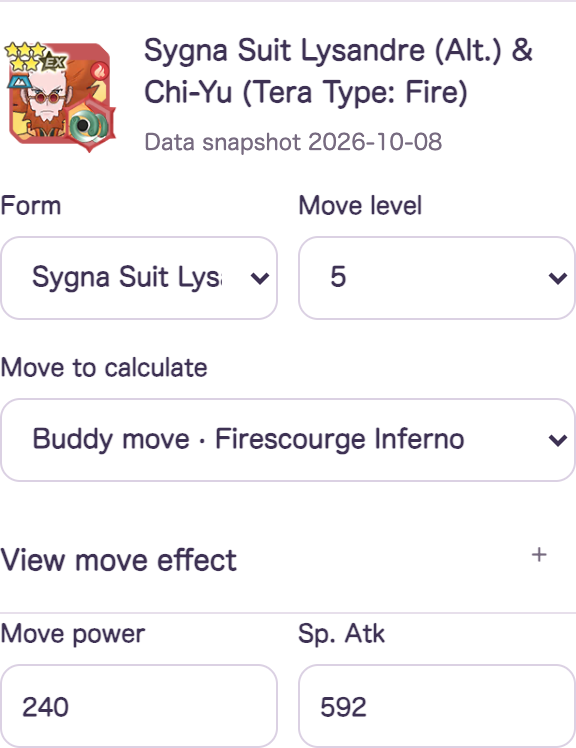
In the sync pair name field, enterChi-Yuand choose Sygna Suit Lysandre (Alt.). Select the formTerastal Form, move level5, calculated moveBuddy move · Firescourge Infernoas the setting.
Initial stats use the recorded level-200 values without power-ups or grids. For different upgrades, enter Attack or Sp. Atk without grid bonuses and add equipment under non-grid modifiers.
Open move effects to read the description. Firescourge Inferno activates after an ally uses one sync move and deactivates after use.
② Match conditions at the time of attack
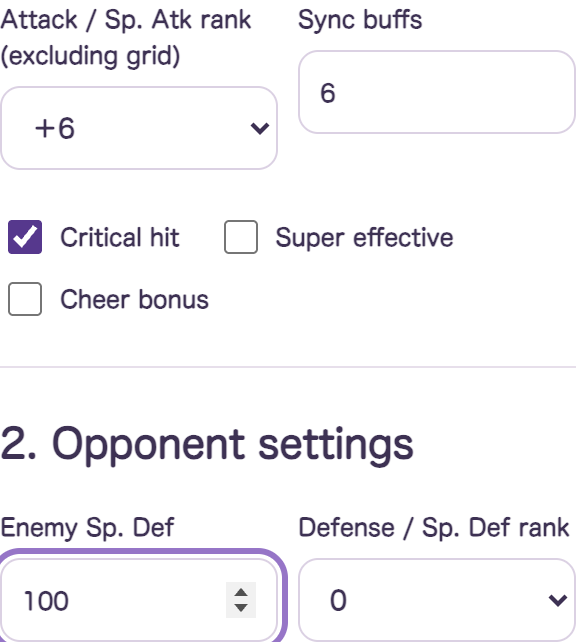
Set non-grid Sp. Atk ranks, sync buffs, critical and supereffective conditions, and enemy stats. This example holds the following settings fixed.
| Sp. Atk and move power | 592 and 240 (move level 5, no grid) |
|---|---|
| Sp. Atk rank and sync buff | +6・6 |
| Critical, supereffective and cheering settings | Critical hit enabled; no supereffective hit or cheering |
| Opponents | Three targets; Sp. Def 100 at rank 0; no special rule |
| Weather | Attack normal sun is already active before the attack: ×1.5 |
| Other | No terrain, zone, circle, rebuff or boosts. Non-grid power increase 0%; move-specific and other multipliers 1. |
Open damage modifiers to select weather. For weather, terrain and zones, choosemodifiers effective for the chosen move's typeonly.
③ Select grid tiles and apply them
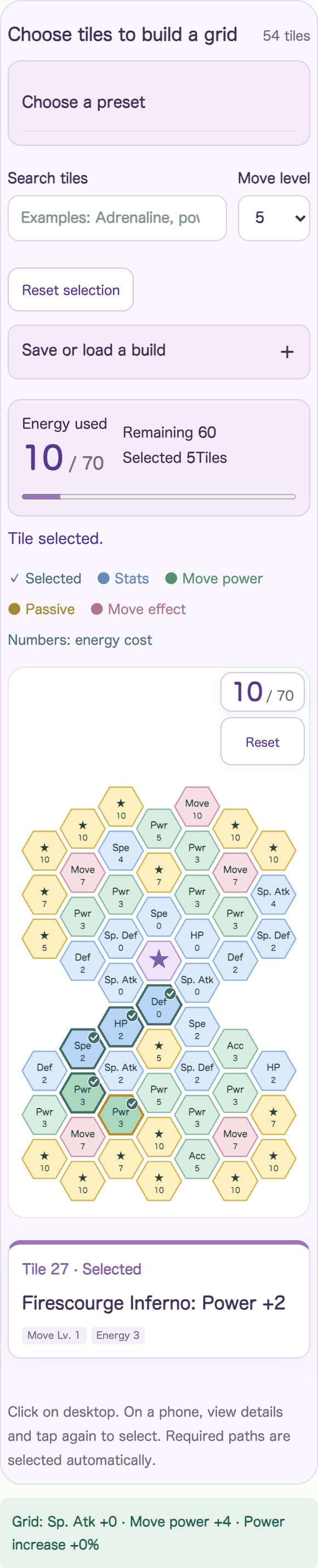
Choose grid tiles to apply modifiers ↓— click to open the same grid. On desktop, click a tile to select it. On mobile, tap once for details and again to select.
Selecting a tile adds required paths. Watch the energy total above the grid and check move levels and unlocks. You can start from a preset or a setup saved in this browser.
Here, select the lower-leftFirescourge Inferno: Power +2on two tiles. Including their paths,10 / 70and the area below the grid showsThis move: Power +4is displayed.
The chosen move's power and Attack or Sp. Atk are added automatically. Sync-only power tiles apply only when that sync move is selected.
Set prerequisites for conditional grid effects
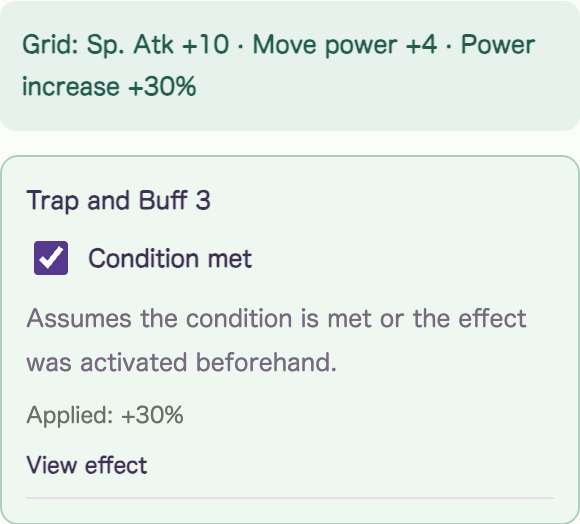
As another example,Trap and Buff 3— add this tile and the section below the grid showsCondition metappears. Enable it only if the target is already trapped before the attack.
This example applies +30% power. The path also changes; check added Sp. Atk and other stats. The comparison below does not include this trapped-target tile.
Check and enter non-grid passives, ally effects and Superawakening manually. Do not add automatically included grid bonuses a second time.
④ Add results and compare grid differences
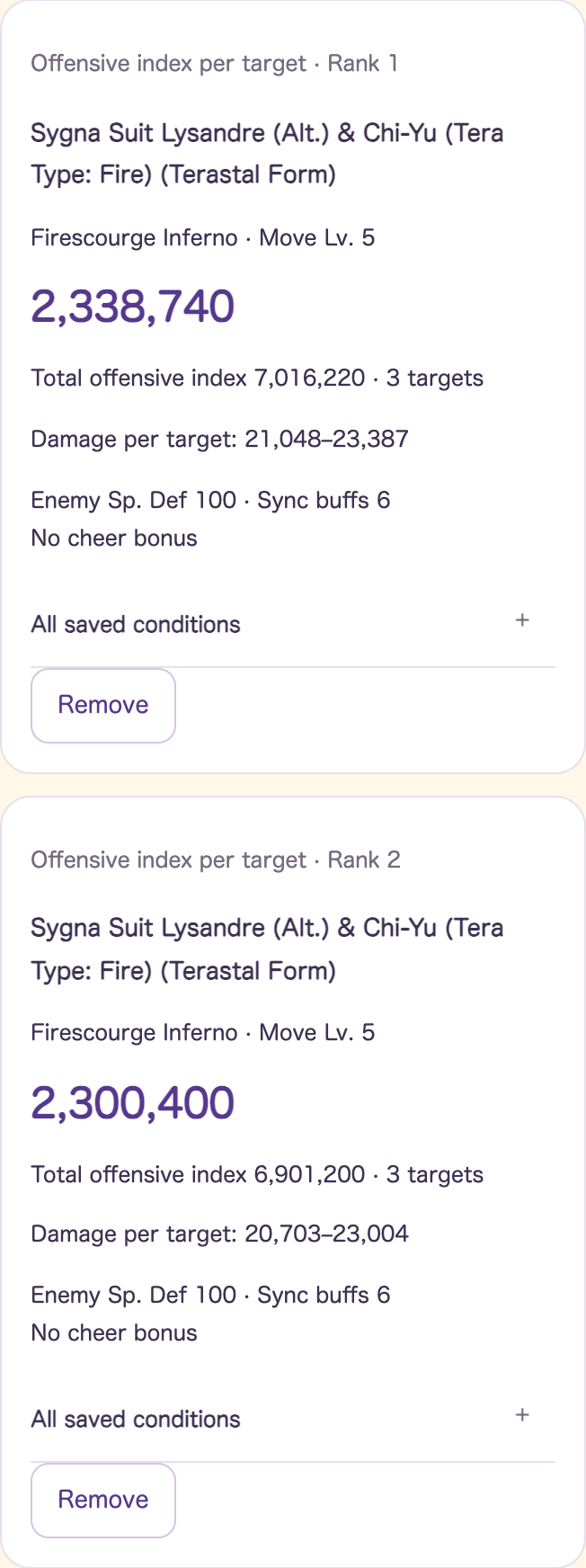
Before selecting grid tilesAdd this result to comparison— click to add. Change the grid and add again to compare results on the same page. Inputs recalculate automatically; the calculate button also updates the result.
| Comparison field | No grid | Grid with Power +4 |
|---|---|---|
| Move power | 240 | 244 |
| Offensive index per target | 2,300,400 | 2,338,740 |
| Total index across three enemies | 6,901,200 | 7,016,220 |
| Damage to one target | 20,703〜23,004 | 21,048〜23,387 |
Under these conditions, the damage index increases by about1.67%. Firescourge Inferno does not lose power against multiple targets, so the total index is three times the single-target index in this example.
Which number should I compare?
| Display | When to use it |
|---|---|
| Offensive index per target | Comparison value excluding enemy Defense, Sp. Def, reduction and random rolls. Compare one-hit damage differences. |
| Total offensive index across enemies | Attack Totals assume all targets share the same conditions. Compare single-target and area moves. |
| Minimum–maximum damage | Estimate using enemy stats, modifiers and random rolls. Requires the enemy's actual stats. |
| Calculation breakdown | Expand to check power, stats, multipliers and grid additions. |
Up to six comparison entries.Cleared when the page reloads.Stored differently from grid setups saved in the browser.
To compare teams
This calculator evaluates one pair and one move. For automatic three-pair team searches, useTeam Firepower Explorer. Check move activation, remaining uses and preparation against the in-game state.
Compare damage with your own grid →
Related:Grid search and board guide · Team Firepower Explorer guide